The answer — one pick, priced
Get the
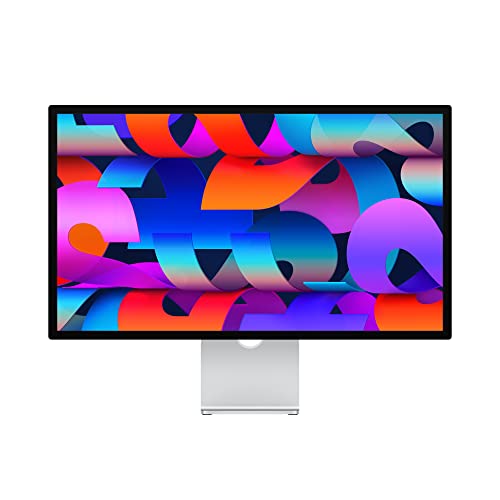
Apple Studio Display
no budget ceiling
The macOS developer's display — 5K Retina at 218 PPI renders every app at exactly 2× with no fractional-scaling blur, and the built-in webcam and mics clear the desk.
Some links earn us a commission — it never changes the pick. Winners are chosen before payouts are checked.
Fit ledger — need → measured evidence
■ The catch — co-equal billing, always
It's a Mac-only luxury on a tilt-only stand. It's tuned for macOS (a compromise on Windows/Linux), and the standard stand only tilts — height adjustment is a costly upgrade on a display that already costs $1,355.
Dealbreaker? Runner-up — the ASUS ProArt PA32QCV is 6K, cross-platform, and cheaper ↓
■ Every product has a catch. Verdicts that hide it are how bad buys happen.
Runners-up — if your needs differ



Adjacent verdicts — same method
Traps — this verdict avoids
The PPI cliff at 32 inches
A 27-inch 4K panel is ~163 PPI (razor-sharp), but stretch the same 4K to 32 inches and it drops to ~138 PPI — noticeably softer for small code fonts. Size against PPI, not the diagonal.
Scaling breaks legacy IDEs
4K at 27 inches needs 150% DPI scaling on Windows to be readable, and some legacy IDEs and terminal emulators render blurry at fractional scale. Test your toolchain before you commit.
The single-cable trap
USB-C charging is not one number — 65W covers most ultrabooks, but a 14-inch MacBook Pro needs 70W+ and a 16-inch needs 96W+. Match the wattage to your laptop or it won't charge.
Provenance — 8 sources, dated
Winners are picked before affiliate payouts are checked, from the full research dossier at knowledgelib.io. Prices, stock and listings are re-verified monthly by an automated pipeline. Some links earn us a commission — it never changes the pick, and we say so here rather than in a footer you'd never read.