The answer — one pick, priced
Get the
Surface Pro 13‑inch
no budget ceiling
The only work tablet running full Windows 11 — Visual Studio, Excel macros and legacy x86 apps no iPad can touch; the sole desktop-OS pick across 8 sources.

Fit ledger — need → measured evidence
■ The catch — co-equal billing, always
It's ARM Windows, not x86. Most legacy apps run only through emulation, and some 32-bit software, kernel-level security tools and niche enterprise apps won't run at all. The Type Cover ($180–$280) and Slim Pen ($130) cost extra, and at 895g it's the heaviest tablet here.
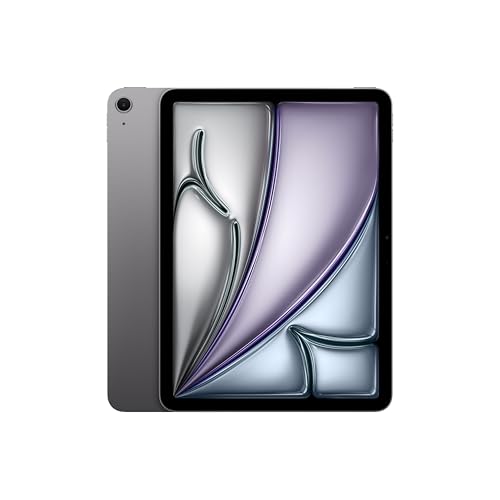
Dealbreaker? Runner-up №1, the iPad Air M4, drops Windows for far better tablet apps ↓
■ Every product has a catch. Verdicts that hide it are how bad buys happen.
Runners-up — if your needs differ


Adjacent verdicts — same method
Traps — this verdict avoids
The keyboard and pen cost extra
Most tablets ship bare. A Magic Keyboard is $249–$349, an Apple Pencil Pro $129, a Surface Type Cover $180–$280 and a Slim Pen $130 — accessories add $130–$480 on top of the sticker, and a full iPad Pro rig runs ~$1,828–$1,878. Only Samsung bundles the S Pen.
Only the Surface runs real Windows
iPadOS and Android can't run Visual Studio, full Excel with VBA macros or any legacy x86/enterprise app — no matter how fast the chip. If your work needs desktop software, budget $1,200–$1,800 for a Surface Pro plus keyboard and pen; nothing else on this card will do.
Don't upgrade an M4 iPad to the M5
Every 2026 review agrees the M5 iPad Pro's 10–15% CPU / 30–35% GPU gain over the M4 model isn't worth the price if you already own an M4 — the design, display and accessories are unchanged. The M5 only pays off coming from an M2 iPad or older.
Provenance — 8 sources, dated
Winners are picked from the full research dossier at knowledgelib.io. Prices, stock and listings are re-verified monthly.